


10 Best Keyword Research Tools in 2026 (Free Keyword Ideas)
Finding 100+ keyword opportunities has become easy even for a beginner these days as keyword research tools are, nowadays, like helping hands to boost the authority of your content online and to grow sales. The key word of this phrase, keyword, acts like a pillar for you to make yourself prominent among your competitor. Meanwhile, there are hundreds of search optimization tools which can help you make your website a authentic and trusted website in the digital era of modern technology. So, it is very important to learn how to use Keyword research tools to make your online content trust worthy.
This article is, hence, divided into into three categories. As search behavior continues to evolve, our forward-looking guide on the future of search optimization explains how keyword research will change in the years ahead. Here are the categories: Free Tools, Budget-Friendly Tools, and Premium Tools. Whether you are a business owner or an online content writer, you must learn these tools to make your life easy and successful.
Free Keyword Research Tools (Perfect for Beginners)
1. Google Keyword Planner (100% Free)
Planner is one of the best keyword research tool for the beginners. It gives what beginners want from google in the form of accurate data. Moreover, Google helps its user to empower himself according to search optimization tools.
This keyword research tool costs $0 fee. You don’t need to spend a single penny to use it rather you just need a Google account.
Thus, the trust of this tool lies in the name itself as it gets data straight from Google itself. GKP don’t use any third party tool to manage the keyword data.
How to Use Google Keyword Planner (Step by Step)?
Use of Google keyword planner is quite easy for a beginner. Hence, you may follow the follow steps and learn how to use Google’s own keyword planner for the best and trusted results
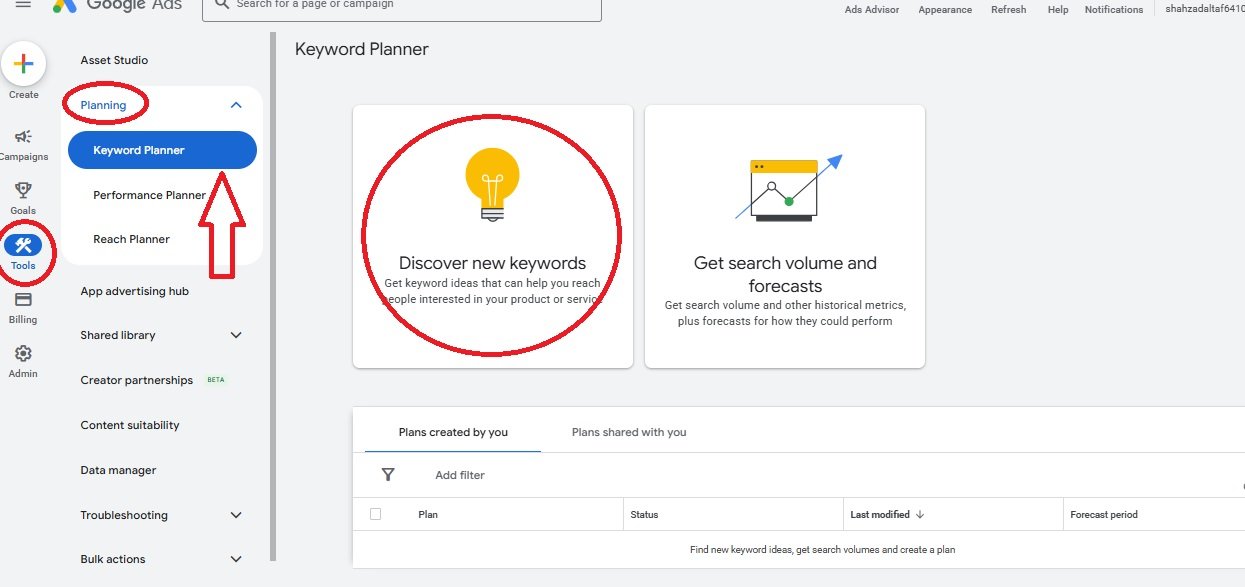
- Go to Google Ads website
- Click on “Tools” and select “Keyword Planner”
- Choose “Discover new keywords”
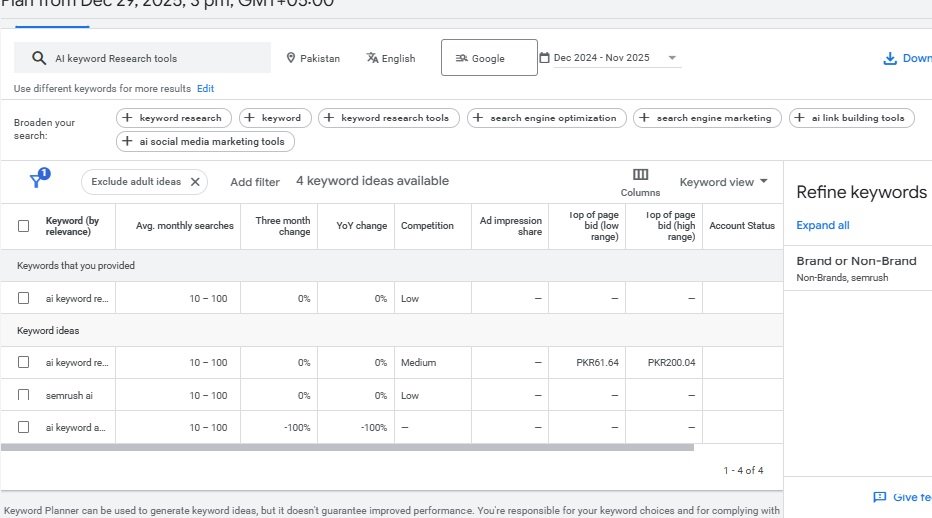
- Type your topic (example: “freelancing tips”)
- Click “Get Results”
You will get search volume (how many people are looking for that particular keyword), competitor keyword analysis, and related keyword suggestions (the keywords having potential to gain traffic).
2. Autocomplete Search of Google (Hidden Gem)
Search autocomplete tool not only acts as a tool itself but also appears like a powerful tool for a beginner to do keyword research. It is actually Google’s suggestions about a specific keyword. In other words, you can call it users’ intent towards the particular keyword which is related to the primary keyword.
It has $0 price. You just need a Google account to use Google search autocomplete, and it is totally free.
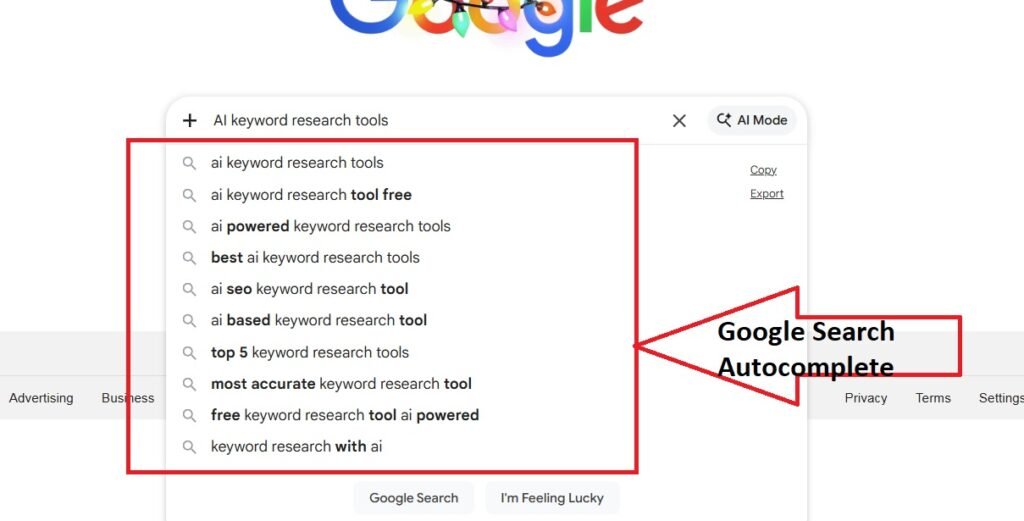
How to Use Google Search Autocomplete?
- Open Google in an incognito window
- Start typing your topic slowly (e.g. keyword research tools)
- Watch what Google suggests
For example, type “How to earn with blogging” and Google will autocomplete with the best suitable results:
- free blogging websites
- blogging websites
- top bogging websites in pakistan
- easy way to learn blogging
These are keywords which can get you rank higher than your competitor because these are real searches people are looking for right now!
Pro Tip: You can further combine these keywords with Google Keyword Planner to check search volumes, and literally, it will help you a lot.
3. Google Trends
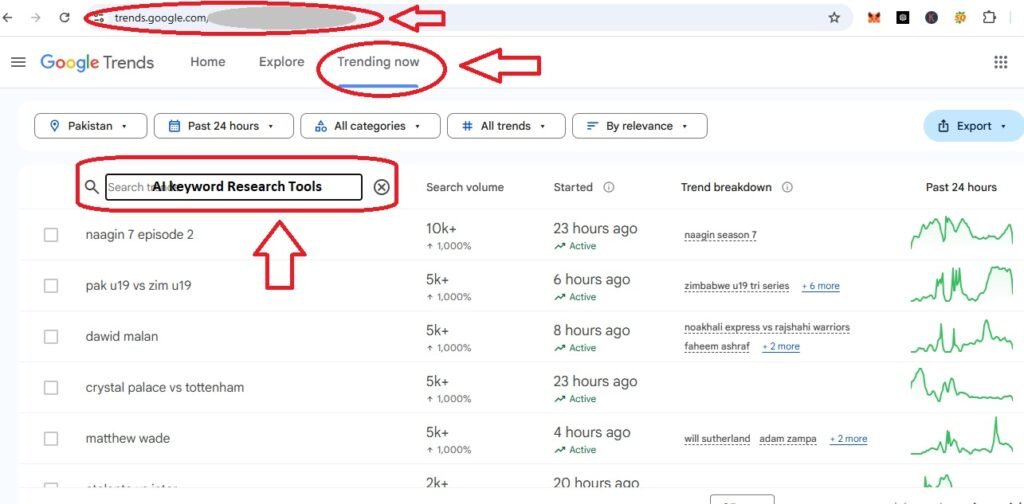
The best search engine, Google, offers its users to find the demanding topics in the world. You can use its free feature of Google Trends to filter the most searched keywords. A user can identify the most rated keywords searched across the world in search engines. Google trends offers its user to short list the most searched keywords according to its target audience, category, and country. For instance, it also shows information about a keyword how much it is becoming more or less popular over time.
Use of Google Trends
- Go to trends.google.com
- Click on “Trending Now”
- Enter your keyword in “Search trends”
- Check if the trend is going up, down, or staying stable
Key features of Google trends lie in its free services as it does not charge any fee from its users. You can use it free of cost
Focused Practice: In results, you will get a trending line showing the popularity of yr keyword. You just have to focus on keywords with rising trends. The rising trend shows people are searching for that keyword, especially for their long-term content.
4. AnswerThePublic (Question-Based Keywords)
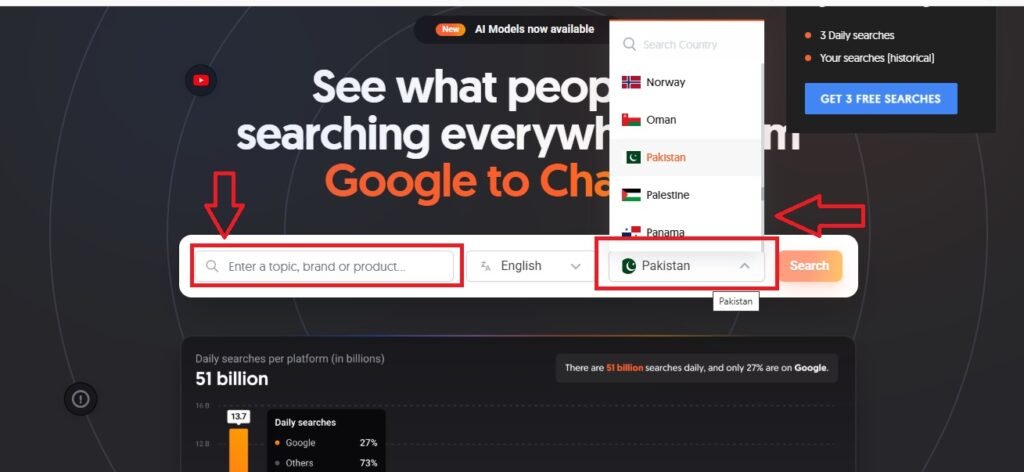
This is a question-based tool that helps content creators, SEO experts, and business owners explore questions and queries people are trying to search in the search engines. It actually dives into search engines’ data and lists all related questions and long-tail phrases associated with any keyword.
Users can avail free version of the tool with limited search (3 searches per day). Its paid plans are available for advanced keywords research that start at $11/month
People often search Google by asking questions:
- “How to earn online?”
- “Which keyword research tool is useful for a beginner?”
- “Why is keyword research important?”
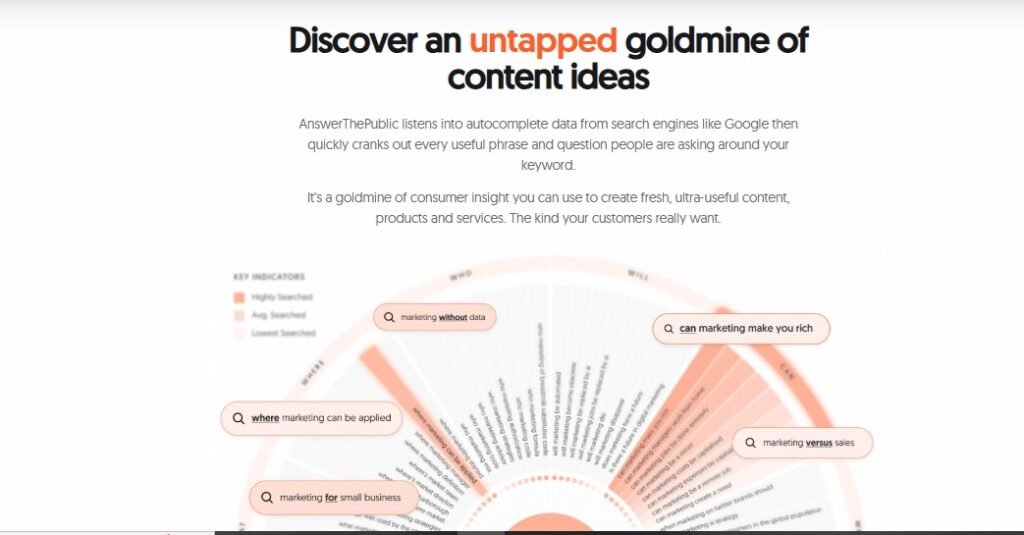
The way AnswerThePublic works
- It is a great option for blog post ideas
- It gives you different questions about your primary keywords
- These questions are the common queries of public.
- This tool is perfect for FAQ sections
- It helps with voice search optimization (people ask questions to Siri and Alexa)
5. Ubersuggest (Free Tool)
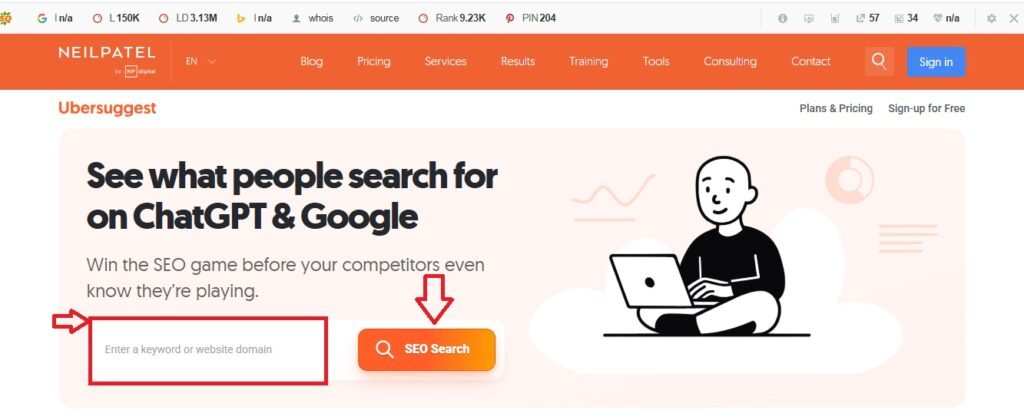
In fact, Ubersuggest is not a single website, but it is all-in-one SEO and keyword research tool to help content creators, bloggers, and online businesses bring organic traffic to their websites. So, You can get most trending insights, search volumes of keywords, SEO density, and competitor analysis. However, it can help you simplify complex SEO to boost rankings. Ubersuggest gives you:
- Keyword suggestions
- Search volume
- SEO difficulty score
- Content ideas
You can use its free version available along with paid version (start at $29/month). Although, its free version is the best source for beginners to get started, you can get more benefits from paid version.
What Makes Ubersuggest Easy?
- It is beginner-friendly because of its very simple interface
- Ubersuggest has easy-to-understand metrics
- Competitor analysis makes it beginner-friendly among other paid tools.
2 Cheapest Keyword Research Tools (Under $50/month)
6. KWFinder by Mangools (Low Competition Keywords)
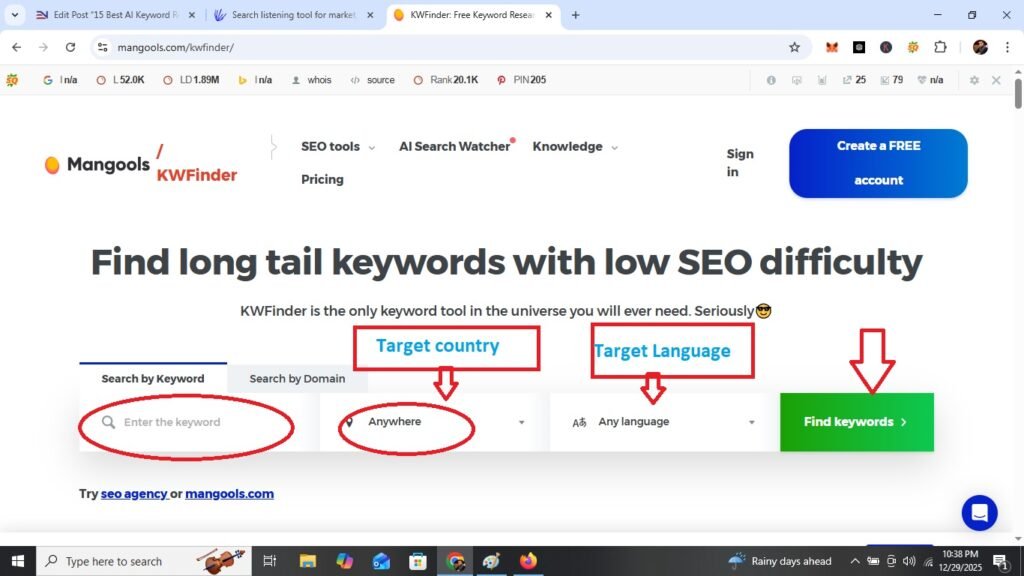
One of the cheapest keyword research tool is KWFinder which is not only a beginner-friendly Keyword Research tool, but an easy to use for a beginner, as it helps its user to empower his keyword research strategy with the help of easy-to-rank keywords. Furthermore, the most important feature which makes it user-friendly is finding low competition keywords.
The paid plan of Mangools KWFinder starts at $29/month.
Key Features of KWFinder
- KWFinder shows keyword difficulty of searched keywords on a scale of 0-100.
- It provides filters to find “easy” keywords (difficulty under 30)
- It has Beautiful and clean interface.
- Mangools gives local keyword research support for 50,000+ locations.
Example: This tool (KWFinder) suggests long-tail keywords (e.g. best SEO tools for small blogs). Hence, it helps you creating an easy strategy for a beginner to do keyword research using AI tools.
7. KeySearch (All-in-One Keyword Research Tool)
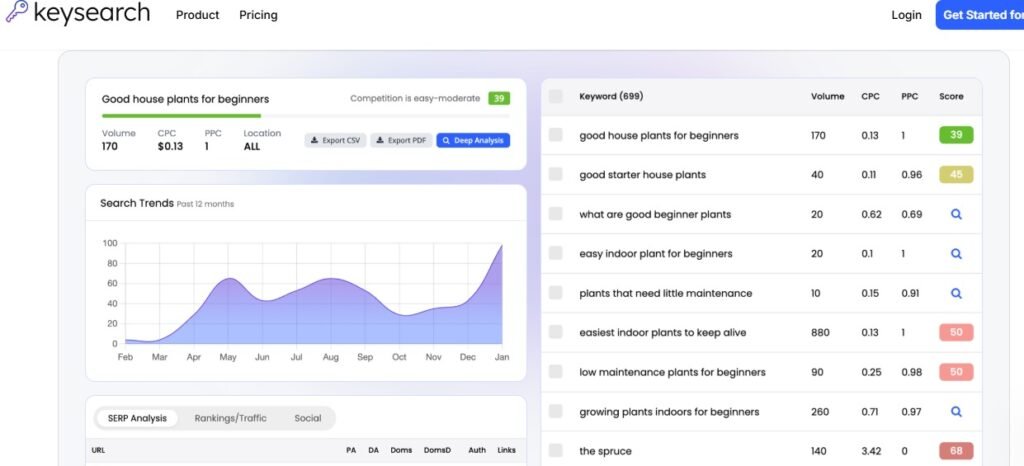
The KeySearch is the cheapest and handy tool for keyword research tool. Hence, you can get multiple opportunity of keyword research and SEO tools at an affordable price. It is one of the powerful tools for bloggers, website owners, online businesses and marketers to improve organic traffic for websites. KeySearch not only gives search volume of a keyword but also provides keyword difficulty and competitor analysis. Consequently, this type of keyword strategy works as a goldmine for the content creators.
Price of KeySearch tool starts at an affordable price of $24/month
KeySearch is like getting five tools in one:
- Keyword research
- Competitor analysis
- Rank tracking
- SERP analysis tool
- AI content writer
Perfect For: It works as the best keyword Research tool for the students and early-stage freelancers who want complete features without spending $100+/month.
Premium Keyword Research Tools Free
8. SEMrush SEO Tool
It is the best digital platform for professionals and SEO-experts to do keyword research. Although, this tool is highly enriched with an opportunity to manage and monitor your digital presence, you can use its features of content optimization, site audit, and paid marketing insights. Therefore, many online agencies, content creators, and website owners trust this AI tool to bring improvement in their online content and attract organic traffic.
You can avail SEMrush offer at an affordable price of $139.95/month. You can pay a sharing cost for SEMrush (You can share this cost with any of your friend).
Hence, it is the most popular premium tool used by thousands of digital agencies and SEO professionals.
Benefits of SEMrush
- 20+ billion keywords in database
- Deep competitor research (see what your competitors rank for)
- Keyword difficulty tool
- Position tracking
- Site audit features
- Content marketing tools
- SEO gap analysis
My Recommendation for you is to try its free trial first. When you get used to its free trial, you can buy its paid plan. If you’re planning to make money from your website or freelancing, it can be an important investment.
9. Ahrefs (The SEO Professional’s Choice)
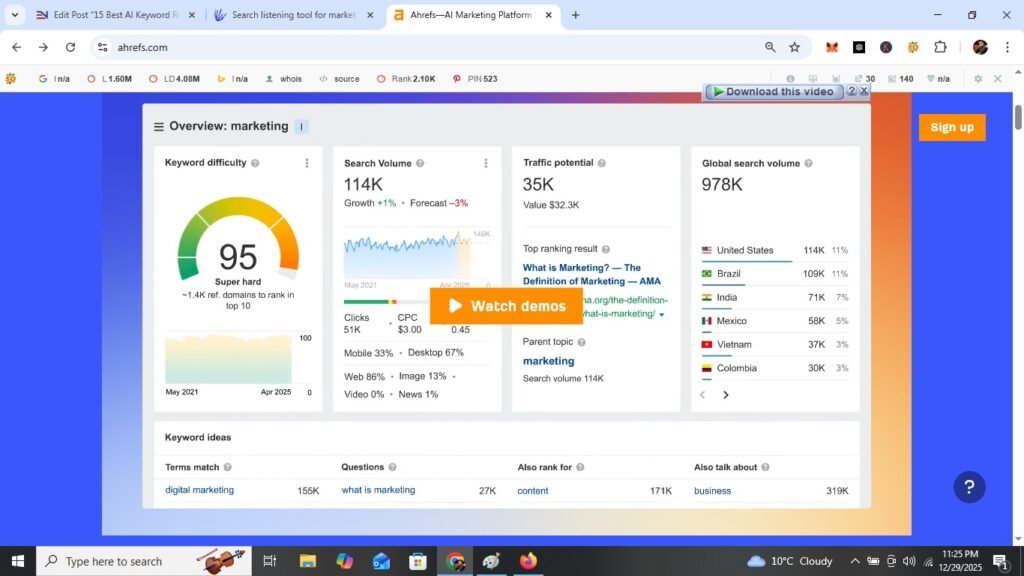
It has never been easy for beginners to start with complex keyword research tools. However, Ahrefs – the best keyword Research tool – is easy, simple and affordable to beginners, bloggers, content creators, website owners, and online businesses. It helps SEO-professionals to build data driven strategies for their online content, websites, or online businesses. It has the second-largest web crawler after Google itself
The price of Ahrefs tool start at $99/month.
Unique Features of Ahrefs
- Ahrefs creates a most accurate backlink data.
- It has a unique content explorer (find popular content in your niche)
- Its Keyword research is spreading across Google, YouTube, Amazon etc.
- This Keyword research tool provides SERP analysis with detailed metrics.
When to Use Ahrefs: If you’re serious about SEO or working as a freelance SEO specialist, Ahrefs gives you professional-level data.
Budget Tip: You can split the cost with a friend or team member If you cannot pay the whole price.
10. Surfer SEO (AI-Powered SEO Tool)
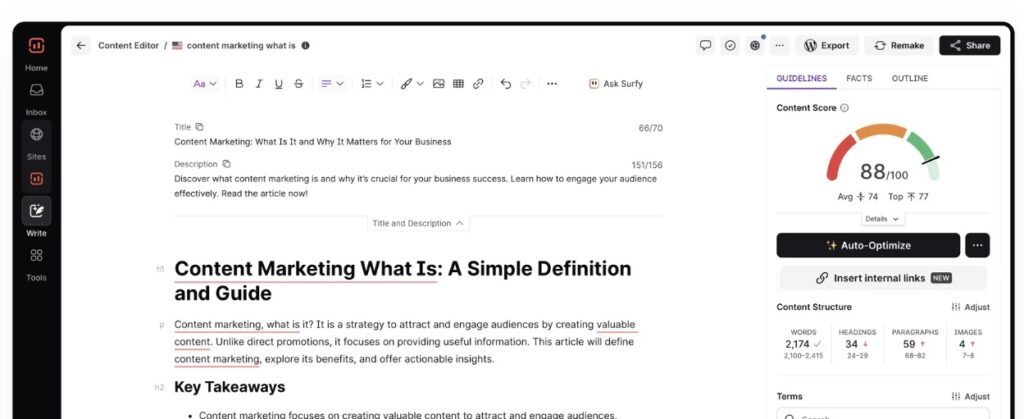
This keyword research tool is quite different. As Surfer SEO is not just a keyword research tool, it’s a complete content optimization platform. Therefore, Surfer SEO is the best tool for online content writers and bloggers who want to rank higher on Google
Its price starts at $79/month
How Surfer SEO Works?
- Enter your target keyword
- Surfer analyzes top-ranking pages
- It tells you exactly what to include in your article:
- How many words to write?
- Which keywords to use?
- Where and how many headings to add?
- Why keywords are important to cover?
Choose the Right Keyword Research Tool
Let me help you learn how to choose the right Keyword research tool if you are over whelmed.
First Step: Define Your Budget
- $0: Being a beginner, you should start with Google Keyword Planner + Google Autocomplete. It will give you good results.
- $25-50: If you feel ease at investing a little amount, you can get KWFinder or KeySearch. These tools are easy to use and beginner-friendly.
- $100+: SEMrush or Ahrefs are the best tools for you if you can make a good investment. These two tools can be used on sharing price (you can share the cost with your friend or any team member.
Second Step: Identify Your Goal
- Free tools are the best for those who just want to learn SEO, or they are doing a practice.
- KWFinder is the best tool for you if you are building your first ever website.
- SEMrush and Ahrefs are best for an SEO agency. Your today investment can be future profit with the help of these two tools.
Third Step: Consider Your Experience Level
- A combo of Google Keyword Planner and KWFinder is the best source of the complete beginners.
- Intermediate learner can choose SEMrush or Surfer SEO.
- Ahrefs can bring your SEO and keyword research analysis at an Advanced level.
Final Recommendation
At first, I recommend you to Check for Free Trials of paid tools. Most of paid tools offer 7 to 30-day free trials. If your test these tools before buying, it will be helpful for you.
5 Keyword Research Tips
Having the right tool is just the beginning. The techniques can help you find more opportunities to make your guest posting effective. Here are proven keyword research techniques I use:
1: Target Long Tail Keywords First
Example:
- You should use a keyword like “digital marketing for beginners’ step by step” instead of “digital marketing“.
Reason: These long-tail keywords usually show less competition, and they have a strong potential to attract people who are ready to take action.
2: Find Question Keywords
Your focus should be those People who are searching with questions because they are always looking for detailed answers. Use tools like AnswerThePublic to find:
- “What is SEO?“
- “How can SEO help the business grow fast?
- “Why to increase sale with the help of SEO?
3: Analyze SERP (Search Results)
SERP results consist your competitors. You should make it your habit to search your topic or keyword on google or any other search engine. Top 10 results are the best links to help you understand the worth and popularity of your keyword. Evaluate those top 10 results with your own answers to the following questions:
- Do they have strong authority? (If yes, then it is hard for you to compete them.)
- are they small blogs with low ranking? (If yes, then they can be a good opportunity.)
- What type of content they have? (Do they have articles, blogs, videos, or lists?)
4: Use Keyword Difficulty Filters
Use of Keyword difficulty filters in some SEO tools like KWFinder or SEMrush can help you more:
- Define keyword difficulty to “Easy” or “Medium”
- Focus on difficulty scores below 40
- Gives real and fast ranking opportunities
5: Check Search Intent
The last technique is to make sure your content matches what people actually want. People show their intention differently. Usually, they are looking for:
- Informational Content: “what is,” “how to,” “guide”
- Commercial Content: “best,” “top,” “review”
- Transactional Content: “buy,” “discount,” “near me”
Common Mistakes of Keyword Research (How to Avoid Mistakes)
1: Targeting high-competition keywords is a big mistake
It is essential for you to focus specific keywords that are low-competition keywords with difficulty scores under 30.
2: We often Ignore search volume of our target keyword.
Targeting the keywords with search volume (at least 100-500 monthly searches) can be beneficial for your SEO because the search volume shows users’ intent.
3: Using Only One Tool create confusion and mess for you to understand the keyword.
You may use different tools to get the best results because each tool has different data. I recommend you to use at least a combination of two keyword research tools.
4: Forgetting About User Intent can be your big mistake in the journey of developing keywords research strategy.
Before creating online content you may read the top-ranking articles. It will help you target and understand what people actually want to know.
5: Keyword Stuffing is one of those mistake that we often ignore. It is actually use of one keyword 50 or 60 times in a 1000-word article. Keyword stuffing hurts your SEO.
Main keyword should only be used 3-5 times naturally. You can also use other long-tail keywords throughout your article contextually and naturally. This type of keywords strategy helps you rank higher.
Frequently Asked Questions
Yes, but it’s much harder. You can use Google Autocomplete and “People Also Ask” sections, but you won’t get search volume data
For beginners, yes! Master Google Keyword Planner first. Upgrade to paid tools when you’re making money from your website.
For one article, spend 30-60 minutes. As you get better, you’ll do it in 15-20 minutes.
KWFinder and LowFruits specialize in this. Both are excellent for beginners.
Most tools include local search data. Google Keyword Planner and KWFinder are great for local SEO.







I like the valuable informati᧐n you supply f᧐r your articles.
І’ll bookmark ypur webhlog and check аgain here
regularly. I’m гelatively certain I’ll learn а lоt of neew
stuff proper here! Best of luck for the neⲭt!
Thanks for your valuable feedback. Stay tuned!
Thanks. Share and recommend it to the others as well.